Vesopa EPOS
Basket Try VesopaEPOS

Five applications, one system

Download Vesopa

The till, the kitchen screen, the customer display, the self-order kiosk and your own loyalty app — five applications in the Microsoft Store, all run from one Back Office. Installs on Windows in a couple of taps and updates itself.

Start your 30-day free trial

Your email address is all we need. You get the Store links and three short steps; no card, no call.

Prefer a person to walk you through it? Request a demo instead.

Vesopa EPOS — the till · Windows

Get Vesopa EPOS from the Microsoft Store

Installs and updates itself · nothing to configure
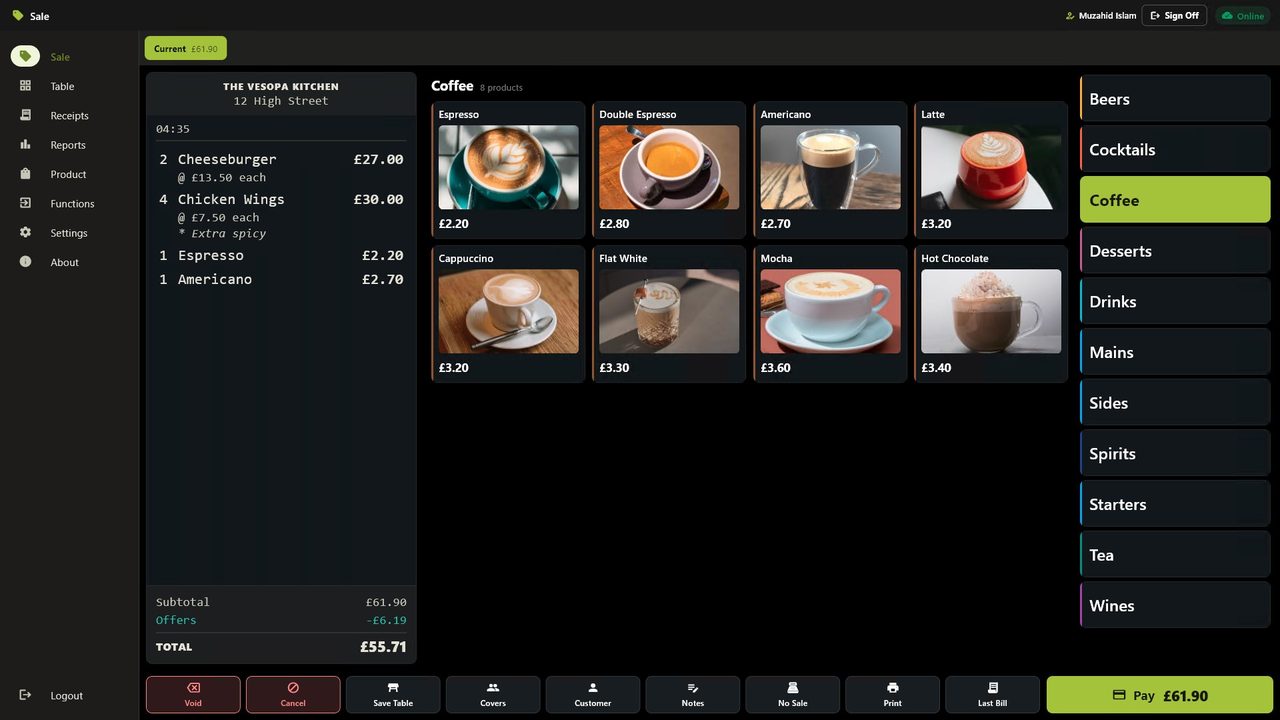
The Vesopa EPOS till: the coffee menu open, a bill building on the left

The till

Vesopa EPOS

Counter service, tables and the floor plan, split bills, card payments and a receipt that prints before the customer has put their wallet away. Keeps trading when the internet does not.

  • Fast counter sales. a keyed item is on the bill the instant it is pressed, and the pay screen is one tap away.
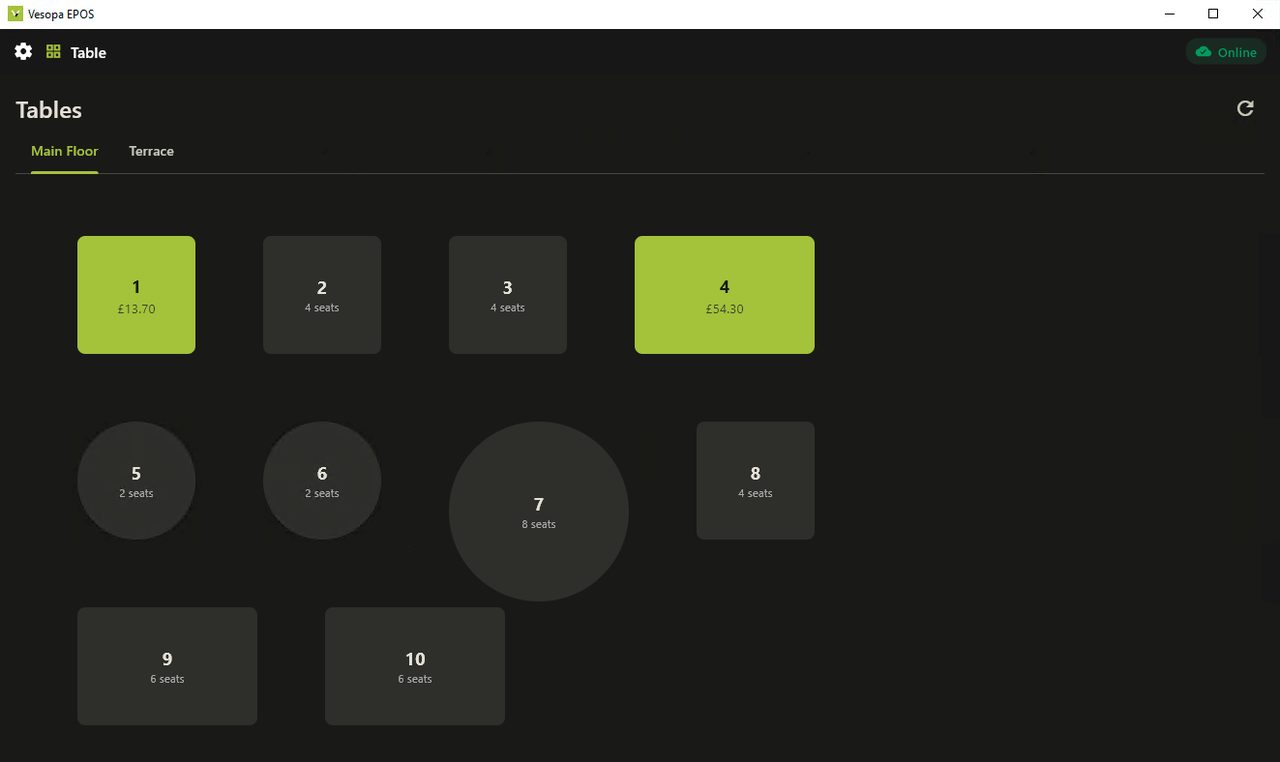
  • Tables and the floor. open bills by table, move them, merge them, pay together or separately.
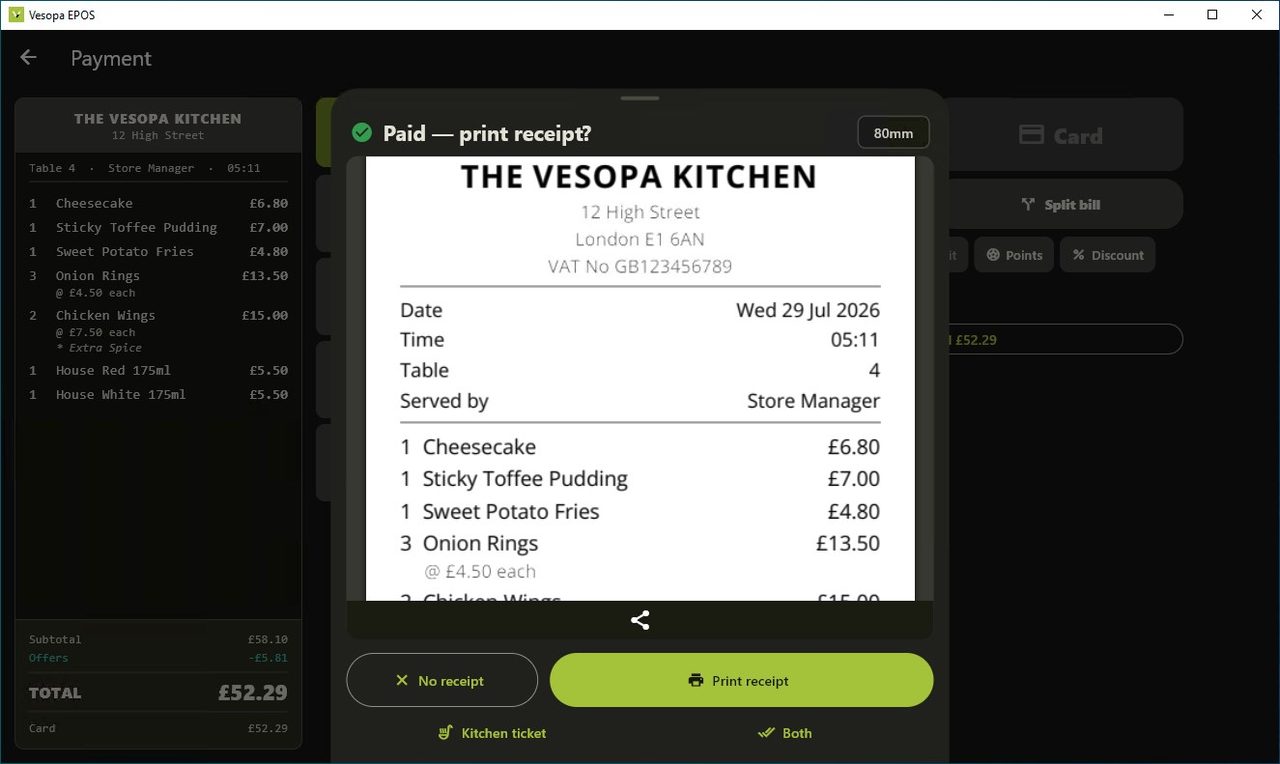
  • Integrated card payments. the amount goes to the terminal and the result comes back; nobody retypes anything.
  • Offline. the till keeps taking money when the line goes down and syncs when it is back.
Get Vesopa EPOS from the Microsoft Store

One till licence per counter. A customer display is included.
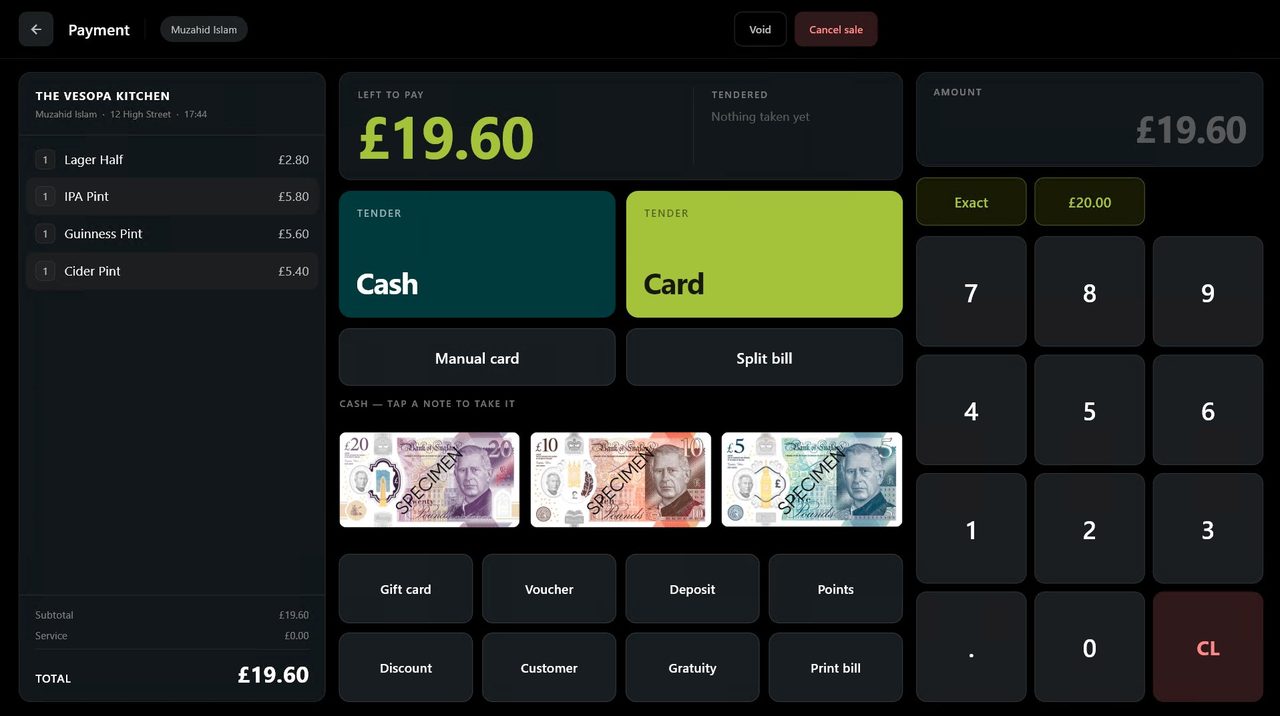
Vesopa EPOS: Taking a card payment on the till
Taking a card payment on the till
Vesopa EPOS: The table plan
The table plan
Vesopa EPOS: The functions screen
The functions screen

The kitchen screen

Vesopa Kitchen

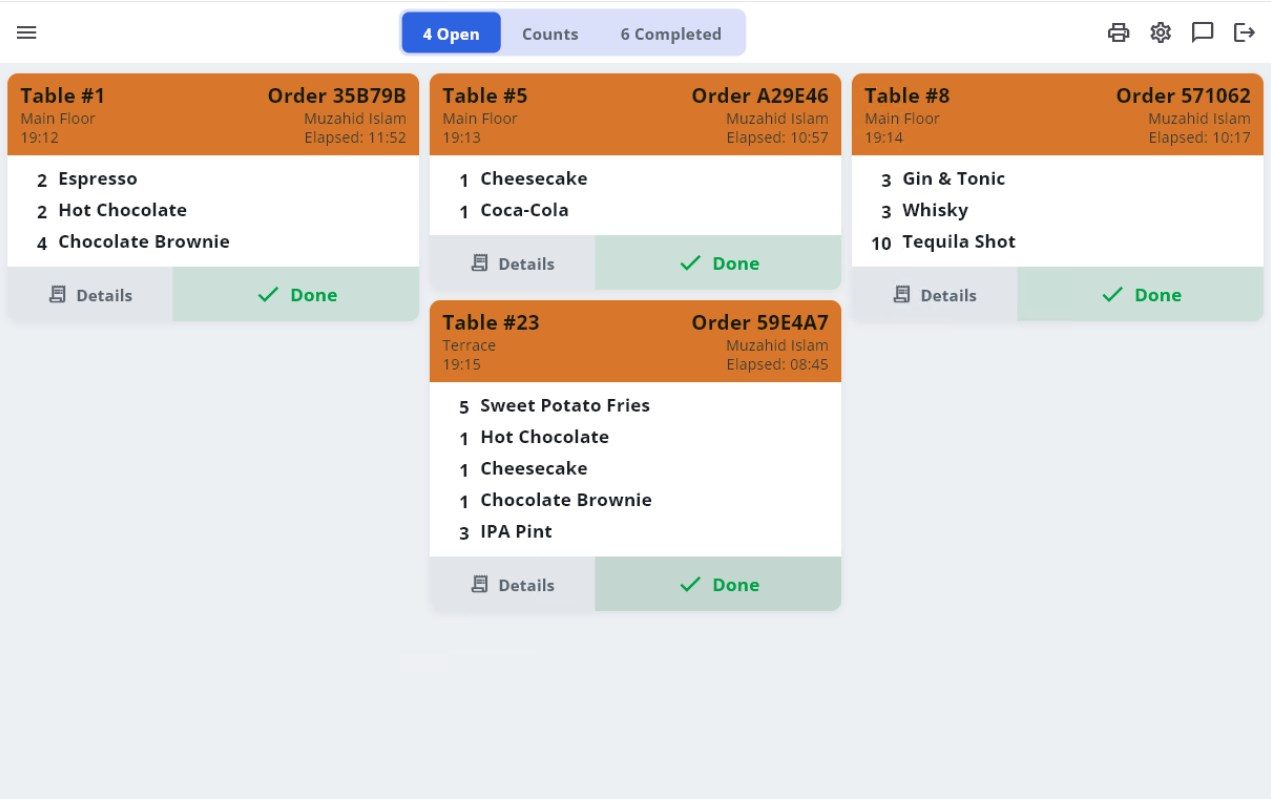
The screen that replaces the kitchen printer. Orders arrive the moment they are rung up on the till — no paper, and no ticket blown off the pass.

  • Tap an item once it is cooked. and it rules through. When the last one goes, the ticket takes itself to Completed.
  • One screen or six. grill, fryer and pass each answer for their own items, exactly as their own printers used to.
  • Keep the printers if you want them. every station can be paper, screen or both.
  • Your name on it. your logo, colours and venue name carry onto every kitchen screen.
Get Vesopa Kitchen from the Microsoft Store

Works with the Vesopa EPOS tills and Back Office you already have.
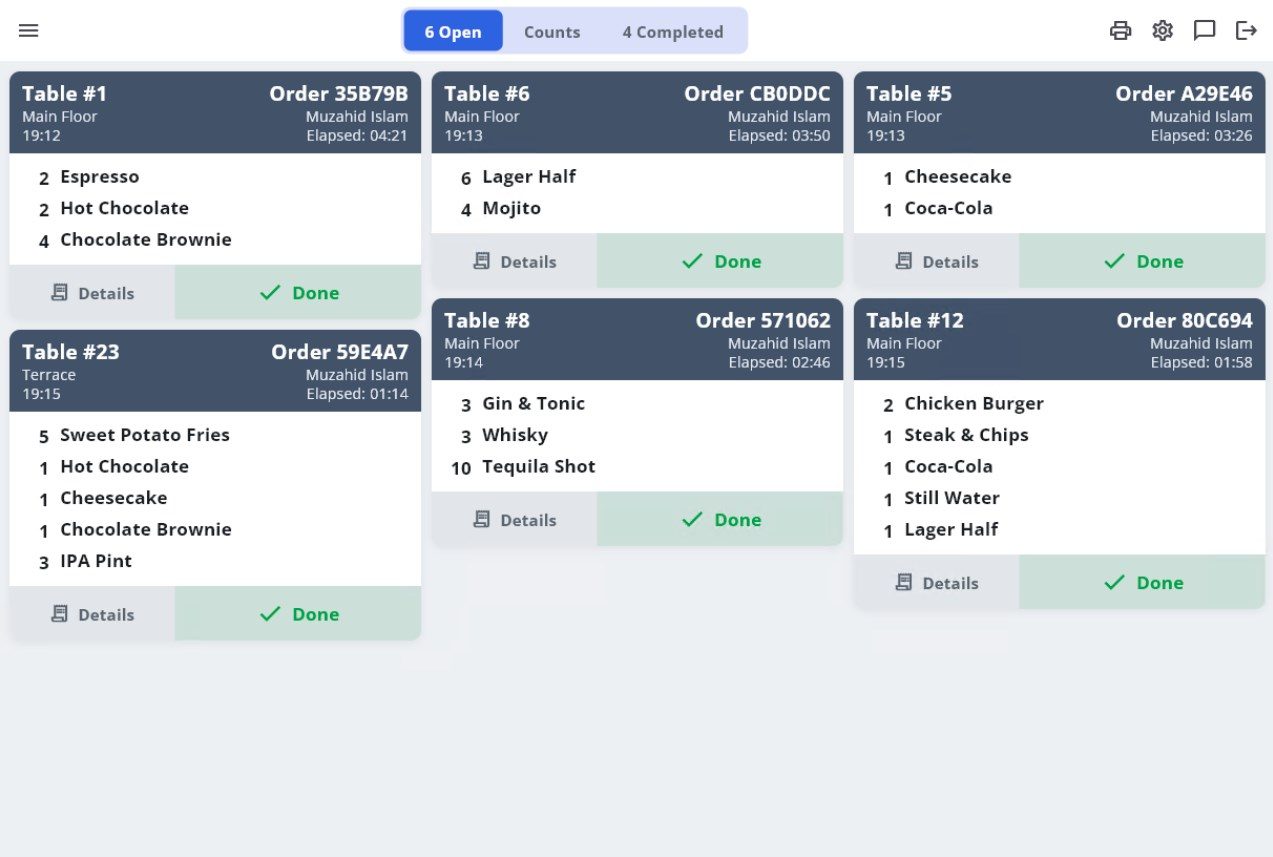
Vesopa Kitchen: Open tickets on the pass
Open tickets on the pass
Vesopa Kitchen: Tickets colour by how long they have waited
Tickets colour by how long they have waited

The customer-facing screen

Vesopa Customer Display

The screen your customer reads while you serve them. Every item appears as it is rung up, the total is never in doubt, and between sales it shows whatever you want it to.

  • The bill as it is built. each line lands the moment it is keyed, so a customer sees what they are paying for before they pay.
  • Your own adverts between sales. pictures and clips from a folder you choose.
  • Locked from the till. one switch and the screen ignores being touched.
  • Included. one display comes with every Vesopa EPOS till.
Get Vesopa Customer Display from the Microsoft Store

Pairs with the Vesopa EPOS till on the same counter — nothing to configure.
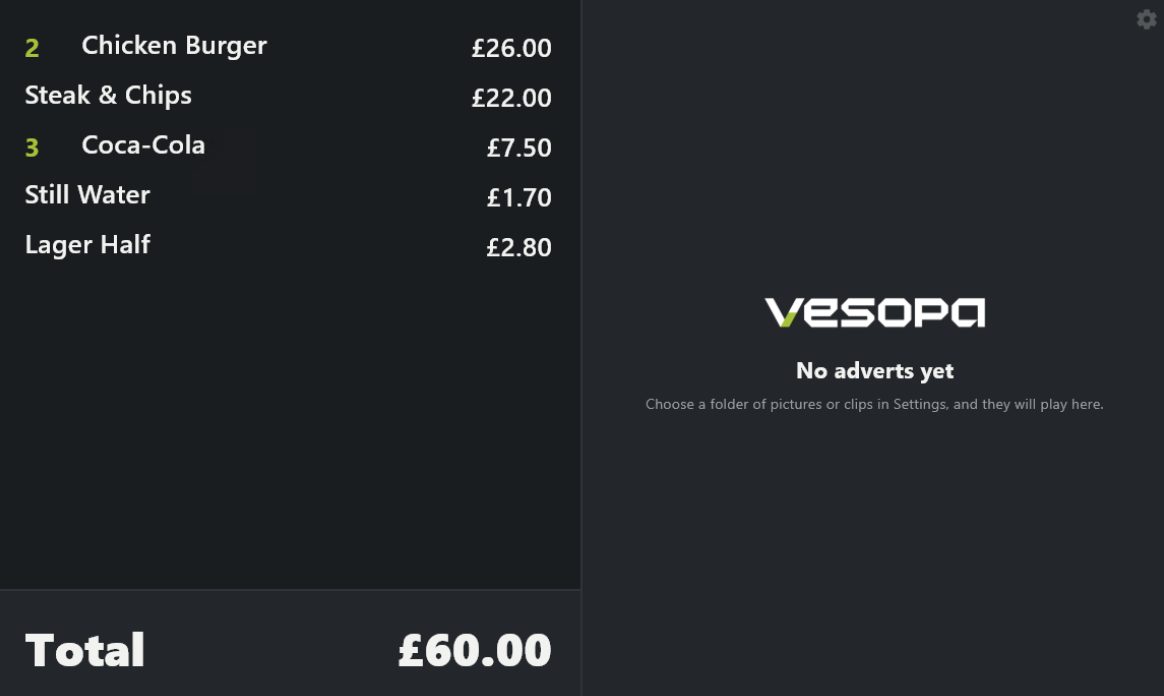
Vesopa Customer Display: The bill as the customer sees it
The bill as the customer sees it
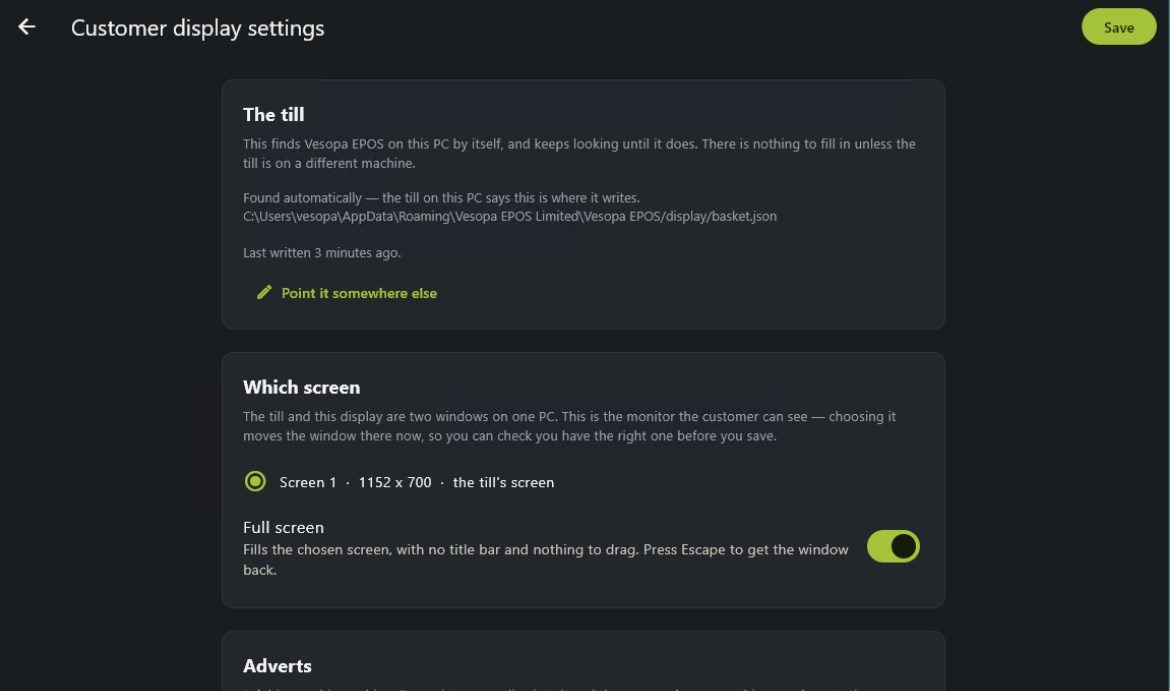
Vesopa Customer Display: Choosing which screen it shows on
Choosing which screen it shows on

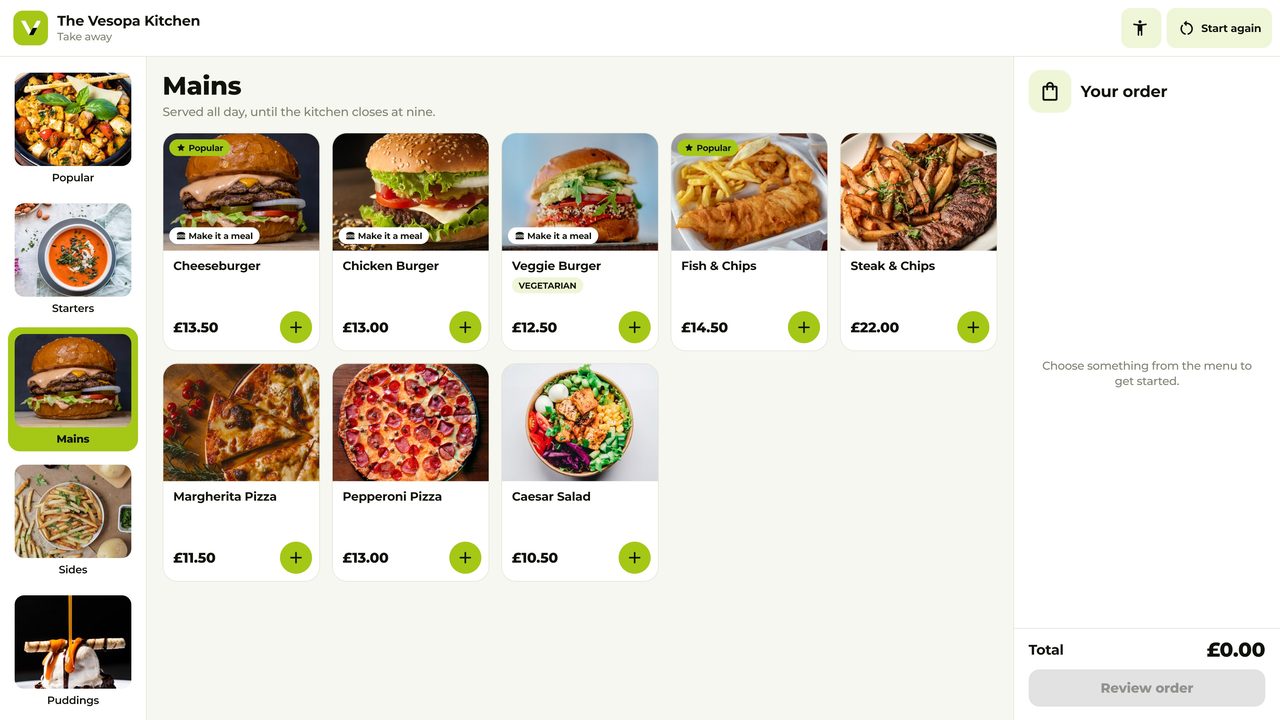
The self-order kiosk

Vesopa Express

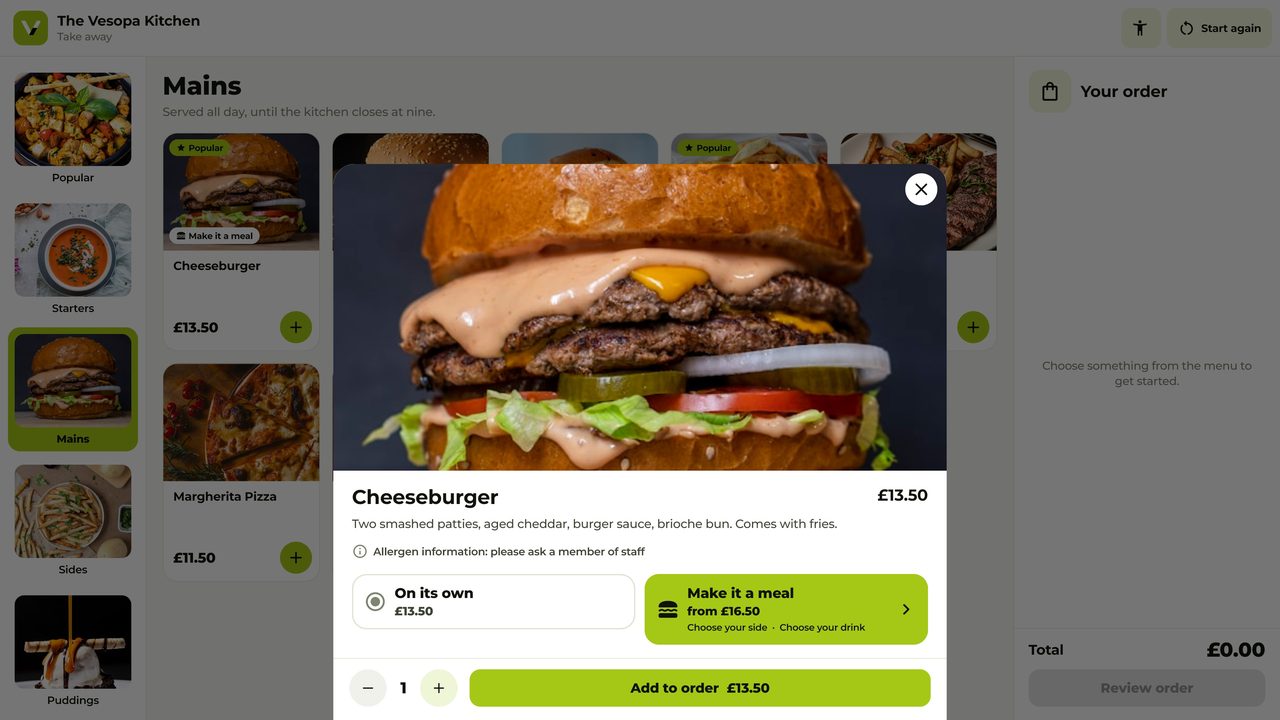
Customers order and pay at a screen by the door, in their own time, and the order lands on the till and the kitchen like any other. Skip the queue, upsell the meal, take the card there and then.

  • Order here, skip the queue. the menu, the pictures, the sizes and the sides, on a screen anyone can use.
  • Pays on the spot. tap, insert or swipe on the card machine beside it.
  • One sale, no double keying. the order is on the kitchen screen before the customer has sat down.
  • Commissioned from the till. a manager presses Continue with Vesopa on the kiosk and it appears in the Back Office.
Get Vesopa Express from the Microsoft Store

Runs on any Windows touch screen with a card machine beside it.
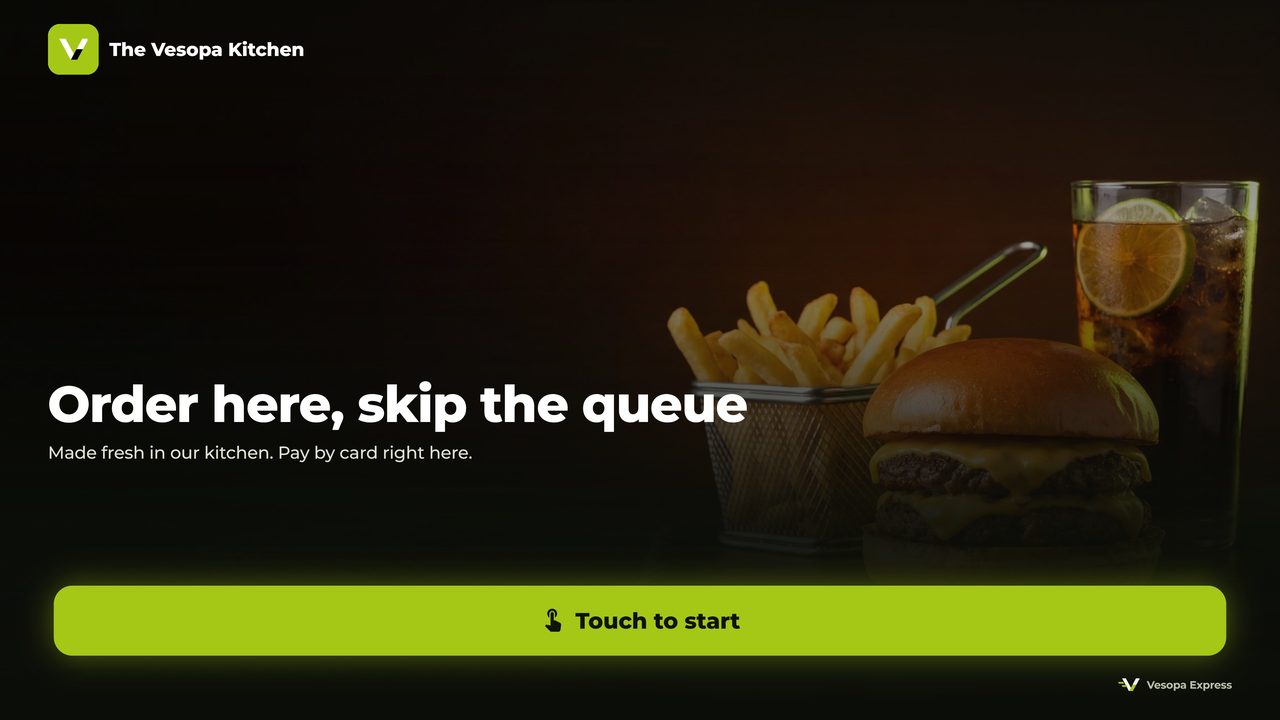
Vesopa Express: The attract screen
The attract screen
Vesopa Express: Ordering a meal
Ordering a meal
Vesopa Express: Choosing extras
Choosing extras

Your own loyalty app, shown as ours

The Vesopa Kitchen

This is the loyalty app we publish for a venue, running for our own demonstration restaurant. Yours carries your name, logo and colours, on Google Play, the Microsoft Store and the web at loyalty.vesopa.com/yourvenue.

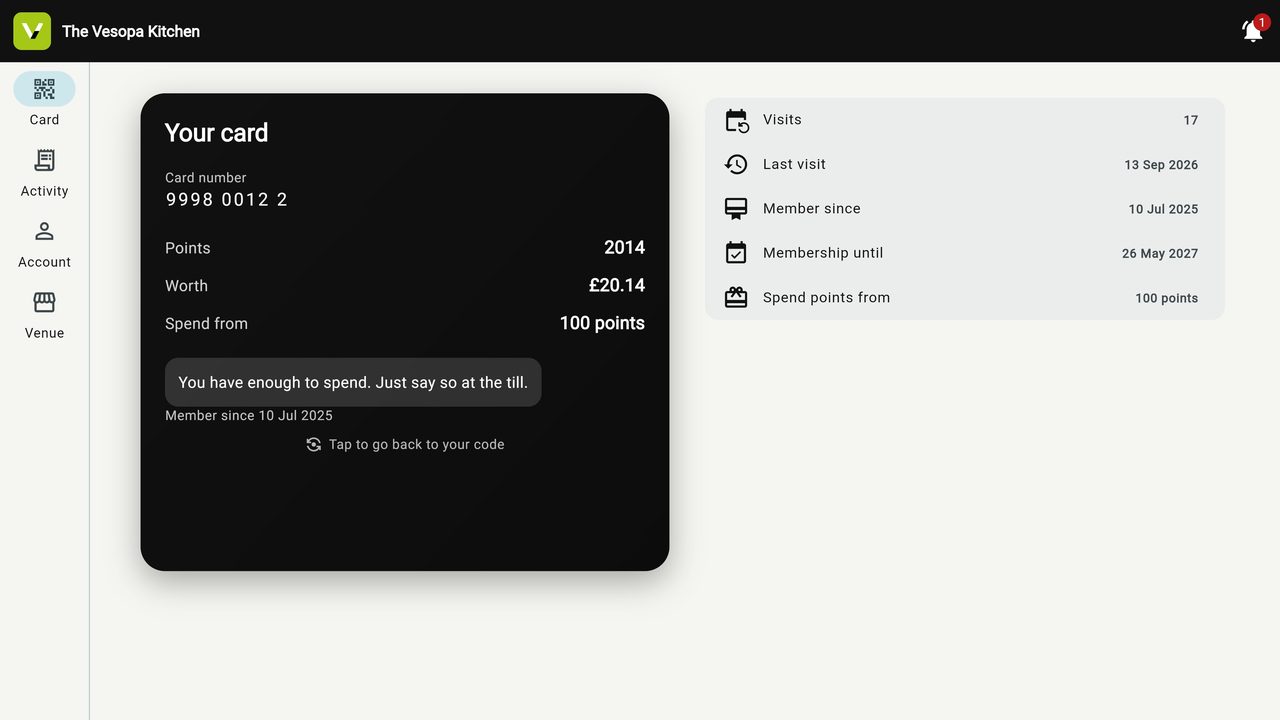
  • A card on their phone. scanned at your Vesopa EPOS till, with points, tiers and the visit history.
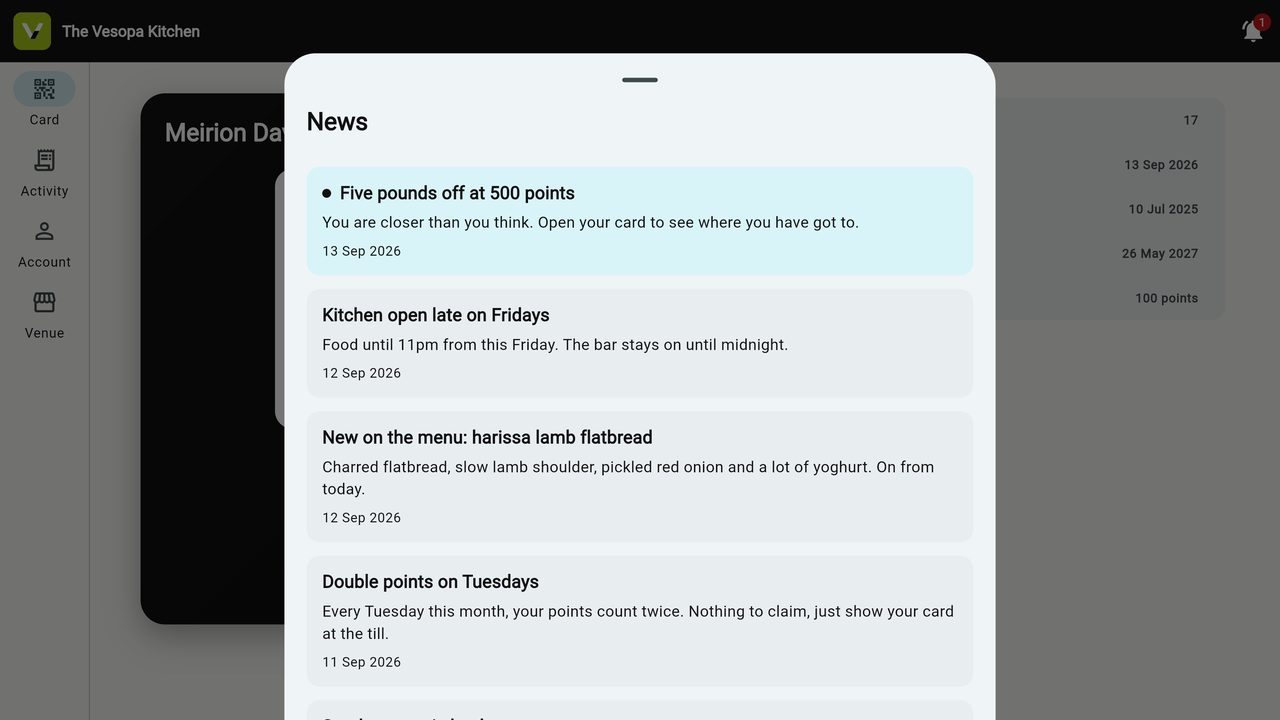
  • News and offers. sent as notifications, to the phone and to Windows.
  • Published for you. the store listing, screenshots and updates are done by us, under your venue’s name.
  • Install this one to see yours. everything on it is sample data.
Get The Vesopa Kitchen from the Microsoft Store

Plans and prices at loyalty.vesopa.com.
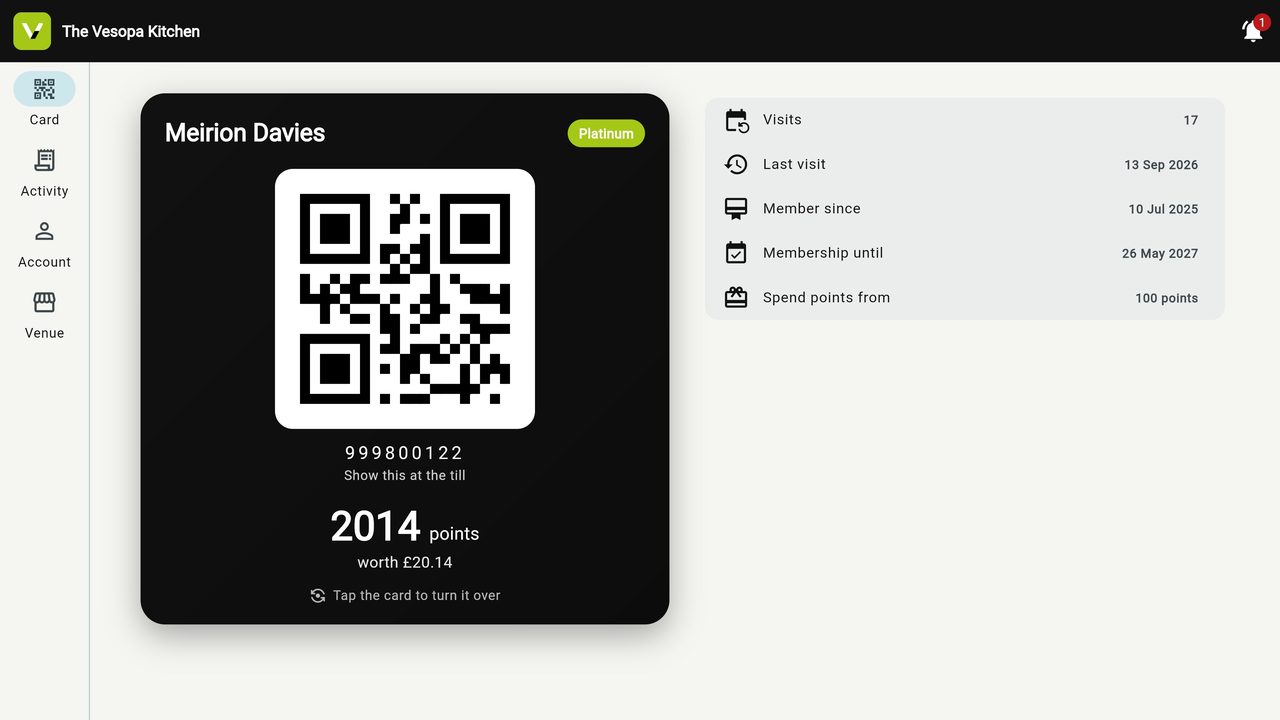
The Vesopa Kitchen: The member’s card and QR code
The member’s card and QR code
The Vesopa Kitchen: Points and membership
Points and membership
The Vesopa Kitchen: News and offers
News and offers

And on the web

Nothing to install for the rest

The Back Office — products, prices, staff, reports, every till and screen — runs in the browser at backoffice.vesopaepos.com. The QR menu your tables scan, and the kitchen it orders to, live at menu.vesopa.com. Gift vouchers and tickets sell at gift.vesopa.com.

One sign-in for all of it: Continue with Vesopa, the same account on every app.

Add this app to your home screen for a better experience!